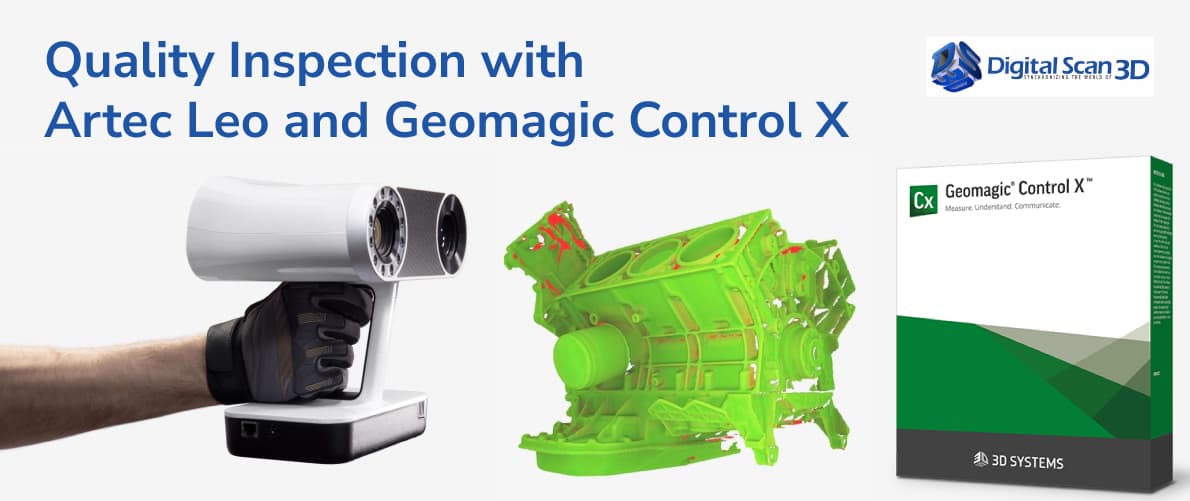
As manufacturing tolerances become increasingly demanding, traditional inspection methods are often unable to keep pace with modern production requirements. While calipers, gauges, and CMMs remain important tools, manufacturers are increasingly adopting 3D scanning and digital inspection workflows for Quality Inspection, reducing bottlenecks and improving traceability.
One of the most effective combinations available for Quality Inspection today is the Artec Leo 3D Scanner paired with Geomagic Control X. Together, they create a powerful inspection ecosystem that enables manufacturers to capture accurate 3D data, compare scanned parts against CAD models, identify deviations, and generate professional inspection reports. Geomagic Control X is designed specifically for dimensional inspection and quality control workflows, while Artec Leo provides fast, wireless 3D data capture in production environments.
Why Traditional Inspection Methods Are No Longer Enough
Manufacturers face several challenges:
- Increasingly complex geometries
- Tight production tolerances
- Faster product development cycles
- Demand for complete digital documentation
- Need for repeatable inspection processes
Inspecting a complex casting, molded component, or welded assembly using traditional tools can be time-consuming and may only provide measurements at specific locations. A 3D scanning workflow captures the entire surface, providing complete inspection coverage rather than isolated measurements.
This approach helps quality teams identify issues that might otherwise remain hidden until later stages of production.
Understanding the Artec Leo Advantage
The Artec Leo has become one of the most widely used professional handheld 3D scanners due to its mobility and ease of use.
Key advantages include:
Completely Wireless Operation
Unlike many scanners that require a laptop connection, Artec Leo performs processing onboard and displays scan results directly on its integrated touchscreen.
This allows inspectors to move freely around:
- Production machinery
- Automotive components
- Large molds
- Castings
- Welded assemblies
without worrying about cables or workstation placement.
Real-Time Visualization
Inspectors can immediately verify scan coverage and ensure critical features have been captured before leaving the inspection area.
High-Quality Geometry Capture
The scanner captures detailed geometry suitable for dimensional analysis and inspection workflows, making it valuable for manufacturing environments where accuracy and speed are essential.
What Is Geomagic Control X?
Geomagic Control X is professional inspection software specifically developed for quality control and metrology workflows.
The software allows users to:
- Compare scanned data to CAD models
- Perform dimensional analysis
- Evaluate GD&T requirements
- Generate inspection reports
- Conduct deviation analysis
- Validate manufactured parts
According to Artec, Geomagic Control X streamlines scan data capture, processing, interpretation, and reporting while helping organizations improve factory efficiency and reduce manufacturing defects.
The Complete Inspection Workflow
Step 1: Scan the Part with Artec Leo
The process begins by capturing the manufactured component using Artec Leo.
Examples include:
- Injection molded parts
- Castings
- Aerospace components
- Automotive assemblies
- Medical devices
- Consumer products
The scanner captures the complete surface geometry while providing live feedback to the operator.
Step 2: Process Data in Artec Studio
After scanning, the data is processed in Artec Studio.
Typical processing steps include:
- Scan alignment
- Noise removal
- Mesh optimization
- Hole filling
- Data fusion
The result is a clean mesh ready for inspection analysis.
Step 3: Import CAD and Scan Data into Control X
The next step is importing:
- Original CAD model
- Scanned mesh
into Geomagic Control X.
The software aligns both datasets and prepares them for comparison.
Step 4: Perform Deviation Analysis
Deviation analysis is one of the most valuable capabilities within Control X.
The software generates a color map showing:
- Areas within tolerance
- Positive deviations
- Negative deviations
This visualization helps engineers quickly identify:
- Warping
- Shrinkage
- Distortion
- Manufacturing errors
before products reach customers.
Control X includes advanced deviation analysis and dimensional verification tools specifically designed for manufacturing environments.
Step 5: Verify Critical Dimensions
Quality engineers can inspect:
- Hole diameters
- Surface profiles
- Distances
- Angles
- Flatness
- Position tolerances
These measurements can be compared directly against design specifications.
Step 6: Generate Inspection Reports
Modern manufacturers increasingly require digital documentation.
Control X automatically generates:
- First Article Inspection reports
- PPAP documentation
- Customer compliance reports
- Production validation reports
Reports can include:
- Color deviation maps
- Pass/fail results
- Statistical data
- Measurement summaries
Common Applications
Automotive Manufacturing
Automotive manufacturers use Artec Leo and Control X to inspect:
- Plastic components
- Body panels
- Tooling
- Fixtures
- Interior assemblies
This helps ensure consistency between production batches.
Aerospace Components
Aerospace companies often inspect:
- Composite parts
- Machined components
- Structural assemblies
where dimensional accuracy directly impacts safety and performance.
Injection Molding
Injection molding introduces challenges such as:
- Shrinkage
- Warping
- Sink marks
Control X allows manufacturers to compare produced parts against original CAD geometry and identify these issues quickly.
Castings and Foundries
Complex cast parts frequently require dimensional verification before machining.
A full 3D inspection workflow provides faster validation than traditional measurement methods.
Why Manufacturers Are Moving Toward 3D Inspection
Several advantages drive adoption:
Faster Inspections
Traditional inspection can take hours.
A complete scan and digital comparison often takes minutes.
Better Coverage
Instead of measuring only a few points, inspectors analyze the entire surface.
Improved Documentation
Digital reports improve traceability and simplify customer communication.
Reduced Scrap
Early detection of manufacturing issues prevents defective parts from progressing further through production.
Best Practices for Accurate Results
To maximize inspection accuracy:
Maintain Consistent Scanning Distance
Consistent positioning improves scan quality and reduces noise.
Capture Complete Coverage
Missing areas may affect alignment and measurement accuracy.
Use CAD as the Master Reference
Inspection should always be performed against approved engineering data whenever possible.
Validate Critical Features
Focus additional attention on:
- Mounting surfaces
- Holes
- Mating features
- Tolerance-critical dimensions
The Future of Digital Inspection
Industry 4.0 initiatives continue to accelerate adoption of digital inspection technologies.
Manufacturers increasingly require:
- Faster validation
- Automated reporting
- Digital traceability
- Real-time production feedback
The combination of Artec Leo and Geomagic Control X supports these goals by creating a scalable inspection workflow capable of handling everything from prototypes to full production runs.
Final Thoughts
Quality control is no longer limited to traditional measuring tools. Modern manufacturers need faster, more comprehensive methods for validating parts and ensuring consistency across production.
By combining the Artec Leo 3D Scanner with Geomagic Control X, organizations can create a complete digital inspection workflow that improves efficiency, reduces inspection time, and provides deeper insight into manufacturing quality. From first article inspection and mold validation to production quality control and dimensional analysis, this workflow gives engineering teams the tools they need to maintain high standards while keeping pace with modern manufacturing demands.