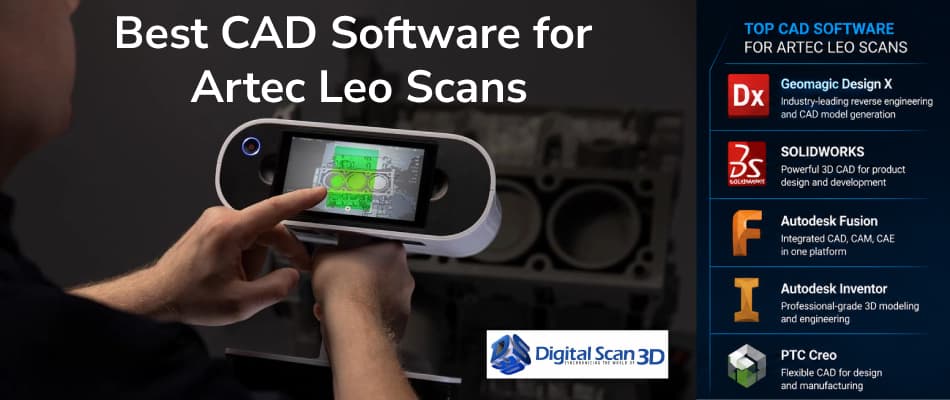
The Artec Leo 3D Scanner is widely recognized for its wireless operation, real-time processing, and ability to capture highly detailed 3D data. However, the scanner is only one part of the workflow. To unlock the full value of your scans, you’ll need the right CAD software to transform scan data into usable engineering models.
Whether you’re reverse engineering parts, redesigning products, or preparing models for manufacturing, choosing the right software can significantly impact efficiency and results.
In this guide, we’ll compare the most popular CAD and reverse engineering solutions used with Artec Leo scans.
Why CAD Software Matters After 3D Scanning
Once a part has been scanned, the resulting mesh file (STL, OBJ, or PLY) often needs further processing before it can be used for engineering or manufacturing.
CAD software allows you to:
- Create editable models
- Extract dimensions and features
- Modify existing designs
- Generate manufacturing drawings
- Prepare files for CNC machining or 3D printing
The best software depends on your workflow and industry requirements.
1. Geomagic Design X
Best For:
Reverse Engineering and Scan-to-CAD Workflows
Geomagic Design X is considered one of the most powerful solutions for converting scan data into parametric CAD models.
Key Features
- Automated feature extraction
- Parametric CAD model creation
- Surface fitting tools
- CAD history tree generation
- Direct integration with major CAD platforms
Ideal Industries
- Manufacturing
- Aerospace
- Automotive
- Product Design
Why It Works Well with Artec Leo
Artec Leo produces high-quality scan data that can be efficiently converted into editable CAD models using Geomagic Design X. This combination is often considered the gold standard for reverse engineering projects.
2. SOLIDWORKS
Best For:
Product Design and Mechanical Engineering
SOLIDWORKS remains one of the most popular CAD platforms worldwide.
Key Features
- Parametric modeling
- Assembly design
- Simulation tools
- Manufacturing drawings
- Large user community
Ideal Industries
- Product Development
- Industrial Equipment
- Consumer Products
- Manufacturing
Why Use It with Artec Leo?
After scan processing, engineers can recreate components in SOLIDWORKS and make design modifications while maintaining engineering standards.
3. Autodesk Fusion 360
Best For:
Small Businesses and Product Development Teams
Fusion 360 combines CAD, CAM, and simulation capabilities within a cloud-based environment.
Key Features
- Integrated CAD and CAM
- Cloud collaboration
- Simulation tools
- Generative design capabilities
Ideal Industries
- Product Design
- Startups
- Rapid Prototyping
- Manufacturing
Why Use It with Artec Leo?
Fusion 360 offers an affordable path for companies looking to leverage scan data without investing in enterprise-level software.
4. Siemens NX
Best For:
Enterprise Manufacturing and Advanced Engineering
Siemens NX is used by some of the world’s largest aerospace and automotive manufacturers.
Key Features
- Advanced surfacing
- Complex assemblies
- Simulation and validation
- Manufacturing integration
Ideal Industries
- Aerospace
- Automotive
- Industrial Machinery
Why Use It with Artec Leo?
For organizations working with highly complex designs and large assemblies, Siemens NX provides a powerful environment for developing scan-based engineering models.
5. Autodesk Inventor
Best For:
Mechanical Design and Manufacturing
Inventor offers robust 3D mechanical design capabilities and integrates well within the Autodesk ecosystem.
Key Features
- Mechanical part design
- Assembly modeling
- Technical documentation
- Manufacturing workflows
Ideal Industries
- Industrial Equipment
- Fabrication
- Machinery Design
Why Use It with Artec Leo?
Inventor is an excellent choice for companies already using Autodesk products for engineering and project management.
Which Software Should You Choose?
Choose Geomagic Design X If:
- Reverse engineering is your primary goal
- You need parametric CAD models from scan data
- You work with complex geometry
Choose SOLIDWORKS If:
- Product design is your main focus
- Your engineering team already uses SOLIDWORKS
- You need strong design and simulation tools
Choose Fusion 360 If:
- You need an affordable solution
- You want cloud-based collaboration
- You work on rapid prototyping projects
Choose Siemens NX If:
- You manage enterprise-level projects
- You work in aerospace or automotive industries
- You require advanced engineering capabilities
Choose Inventor If:
- You operate within the Autodesk ecosystem
- Mechanical design is your primary workflow
- You need strong documentation tools
Recommended Workflow for Artec Leo Users
A common professional workflow looks like this:
Artec Leo → Artec Studio → Geomagic Design X → SOLIDWORKS
This workflow allows users to:
- Capture accurate scan data.
- Process and clean the mesh.
- Convert scans into CAD geometry.
- Finalize designs and prepare for manufacturing.
It combines the strengths of each software platform while maintaining accuracy throughout the process.
Final Thoughts
The best CAD software for Artec Leo depends on your specific goals. For reverse engineering, Geomagic Design X remains the industry leader. For product development, SOLIDWORKS continues to be a top choice. Meanwhile, Fusion 360, Siemens NX, and Inventor offer excellent alternatives depending on budget, industry, and workflow requirements.
By selecting the right software combination, organizations can maximize the value of their Artec Leo scans and accelerate design, inspection, and manufacturing processes.