With the development of 3D scanners and CAD programs optimized for reverse engineering the time to model complex parts has been reduced expontially. By using the Artec Leo and Geomagic Design X in conjunction with one another, companies have found that they can save as much as 38 hours per project when it comes to designing CAD files from scanned physical parts into usable CAD models. Thus, the combined use of these tools has produced one of the most efficient and effective means of converting and modifying physical parts into usable CAD files.
At Digital Scan 3D, we use advanced Scan-to-CAD workflows combining the Artec Leo and Geomagic Design X to reduce reverse engineering time and improve design accuracy.
The Scan-to-CAD Workflow
The modern-day reverse engineering process can be divided into these five main phases:
- Acquisition of Data,
- Processing of Data,
- Creation of CAD Models,
- Validation/Verification of Models, and
- Exportation of CAD Models.
By going through each of these five stages, engineers are now able to create new CAD Models of parts without needing to have the original documentation available, which has allowed for the creation of new CAD Models that can be used for manufacturing, creating accessories for parts, part modification, etc.
Why Choose Artec Leo and Geomagic Design X?
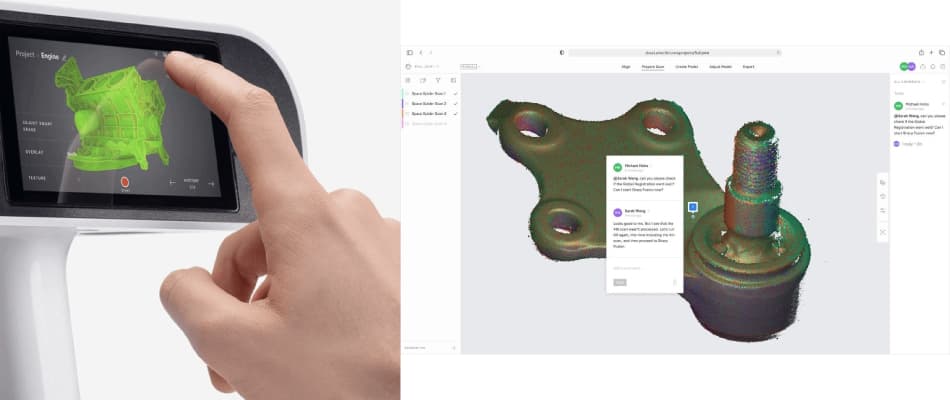
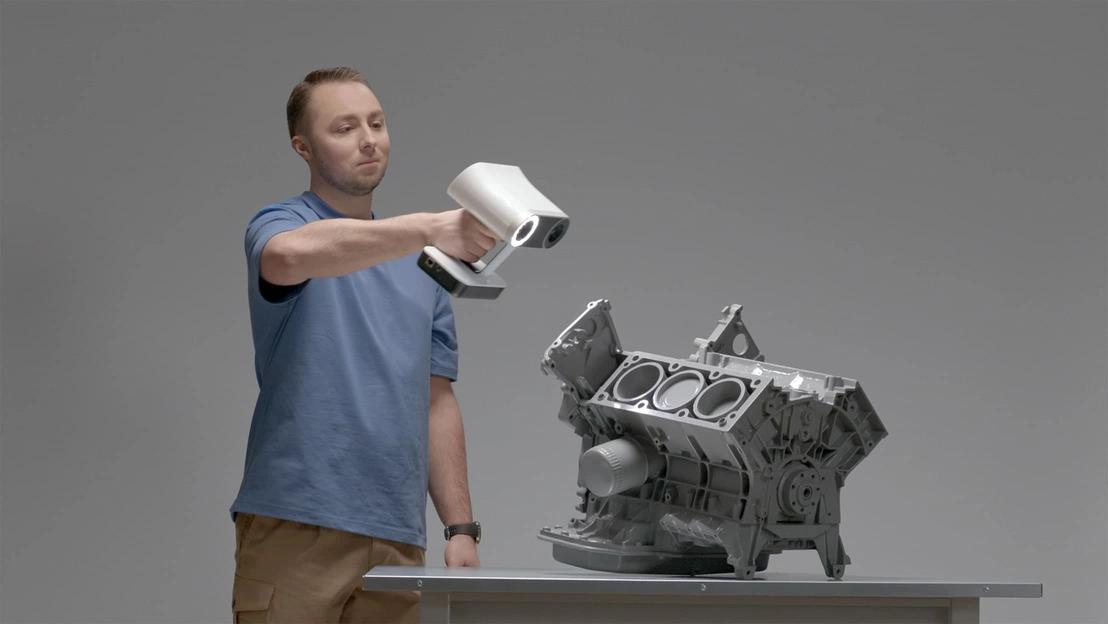
The Artec Leo is an innovation in wireless scanning technology. As a completely cordless handheld 3D scanner (a device that digitally records the shape of a physical object), it features an onboard battery, a touch screen for operation, and a built-in processor (the scanner’s computer chip), allowing for real-time visualisation of 3D images as you scan. This means you can watch a digital model of the object appear live on the device’s screen, which helps ensure you have scanned all needed areas before finishing.
Artec Leo 3D Scanner Performance Specifications
- Digitally captures at a rate of 80 frames per second; digital processing of data, at 4 million points per second.
- Capable of scanning in all light conditions, including outdoor light
- Reduces the amount of time spent scanning from 4 – 8 hours to less than 1 hour.
- Eliminates the need for cables and standalone computers to maximize portability.
Artec Studio Workflows: 70% Faster Processing
You can save yourself up to 70% in time by using Workflows within Artec Studio to help automate any of your common tasks within the software. Workflows allow users to create their own personalized workflows, so that when they click a button, they are able to trigger their own workflow and have all their tasks completed automatically. Because workflows are automatic, they provide a level of redundancy and also save considerable amounts of time when compared to performing tasks manually. After scanning, workflows can automatically trigger the launch of Design X, as well as exporting finished parts for CAD use, eliminating any interruptions during the entire process of transferring a scan to a CAD file.
Geomagic Design X: Intelligent CAD Reconstruction
Geomagic Design X is an intelligent method for reconstructing a physical model using CAD technology and 3D data. It is designed to help users take their scanned data and convert it into fully-featured, editable 3D CAD models. With its advanced tools and capabilities, Geomagic Design X can cut the time needed to convert scanned data from over two hours to just 15 minutes.
Some of the benefits of using Design X include:
- Intelligent feature recognition: This means the software can analyse scanned data and automatically categorise parts of the scan into geometric shapes like planes (flat surfaces), cylinders (tube-like shapes), and spheres (ball-shaped features), based on the shapes detected in the data.
- Parametric modelling: This uses adjustable parameters to build models. It includes tools for 2D/3D sketching and making solid models (complete 3D objects) or surface models (models with only the exterior surface, not a solid body).
- Real-time deviation analysis: Continuous validations of the accuracy of your model as you work through the different steps of the workflows.
- Live transfer: when you open SOLIDWORKS, the parts created in Design X will be built within SOLIDWORKS using full-featured geometry, including sketches and references.
Step-by-Step Reverse Engineering Workflow: Artec Leo to Design X
Phase one: Plan and define your intent for what type of model you’ll be making (normalised dimensions and all attributes as they were originally intended to be manufactured – design intent) or an as-built model (an exact duplicate of an existing part). Consider the function of the part (how it will be used), any critical features, tolerances needed, and how parts will be assembled together.
Phase two: When scanning with Artec Leo, focus on capturing only the most important information instead of all details. This should include areas where critical mating surfaces exist, how organic geometries are shaped, and areas requiring high accuracy. Leo gives you real-time feedback throughout the entire scanning process, ensuring that there is nothing missed before you leave the location of the scan.
Pro tip: Using a rotary table when scanning can eliminate issues caused by having to walk around objects, making it easier for you to obtain consistent scans and to register your scans properly.
Phase three: From within Artec Studio, version 20, the registration of scans, outlier removal and the optimisation of the scan mesh are automated with customisable workflows. Artec Studio handles the process of automatic registration, fine registration (global registration), fusion of scans that are aligned together and the optimisation of meshes. The software enables you to export directly to SOLIDWORKS using the Geomagic for SOLIDWORKS plug-in or by exporting to STL format or OBJ format for use with Design X.
Phase four: Once the scan data is imported into Design X, begin creating your CAD model by initially segmenting the scan data into specific regions according to how the features will be classified. After segmentation is completed, create sketches that follow the outline of the part and use trim functions to eliminate any excess data. After this, you will create solid bodies by using the extrude functions. Creating solid bodies will allow you to generate boundary-fit surfaces using NURBS surfaces for organic shapes.
Phase five: Validation and Exporting – Use colour-mapped deviation analysis to compare the finished CAD model to the original scan data for validation. Once validated, export the CAD model in standard formats used for manufacturing (STEP, IGES) and possibly use it for 3D printing or simulation.
What is the Difference between Contact and Non-Contact scanning, and When to Use the Artec Leo Scanner?
Contact scanners, also known as portable coordinate measuring machines (CMMs), are best suited for scanning simple geometries with simple features, reflective surfaces and parts containing many holes, whereas the Artec Leo scanner is best suited for:
- Complex organic shapes, i.e. an aeroplane’s extra foil or a car’s body panel
- Soft, non-rigid components that cannot use contact probing
- Very complex geometries that could not be measured effectively using contact methods
- Larger objects, which require a certain amount of freedom of movement during the scanning process.
When using contact scanning methods, data collection and design are done simultaneously during the same scan session, whereas when using non-contact scanning methods, the scanning process is carried out in sequential steps. The total procedure includes capturing the entire number of scans first, then “cleaning up” the data prior to CAD reconstruction.
Real-World Applications
Automotive Manufacturing: Curtis Industries was able to reduce the time needed to scan vehicles from 4-8 hours to below 1 hour when utilising the Artec Leo scanner. Multiple mechanical engineers said that the Artec Leo scanner was simple to utilise, had a relatively short learning curve and was highly mobile and portable; this is in contrast to CMMs, which require that vehicles be brought to the measurement system.
Aerospace Components: The Geomagic Design X software was capable of reverse engineering blisks (turbo-machine components with a rotor disk and blade) and demonstrated the feasibility of the workflow for very complex geometries with high tolerances.
Best Practices for Success
Optimise Your Environment: The scanner will function at its best if it is in an optimal working environment, such as having adequate temperature and lighting, as the output is dependent on the quality of input.
Maintain Project Continuity: By having one person work on the entire project from start to finish, the designer is able to easily move back and forth between the physical model and the evolving CAD model; this maintains the original design intent.
Choose the Right Approach: The dimensions and references of design intent models need to be normalised prior to using them, while as-built models will create an accurate duplicate of the physical part. Choose your approach based on your manufacturing objectives.
Conclusion / Bottom Line
The combination of the Artec Leo and Geomagic DesignX provides real, measurable competitive advantages:
- 70% increase in speed for processing data via automation of the workflow,
- 8x to 10x faster CAD rebuilding compared to traditional methods,
- Increased speed and cost savings through real-time validation (no more back-and-forth iterations),
- Full transfer of complete design history to SOLIDWORKS, CREO, or UNIGRAPHICS.
This process eliminates the bottlenecks that exist in the traditional process, allowing engineers to spend more time innovating and designing. The Leo-to-Design X process allows you to recreate old, obsolete parts and/or see how your design has changed from the design to as-built side, therefore allowing you to improve your speed, accuracy, and flexibility in today’s competitive engineering environment.
Here at Digital Scan 3D, we help engineering teams reverse engineer complex parts faster using Artec Leo and Geomagic Design X—delivering accurate, production-ready CAD models with full design history.
Contact us today to discuss your reverse engineering or Scan-to-CAD requirements.